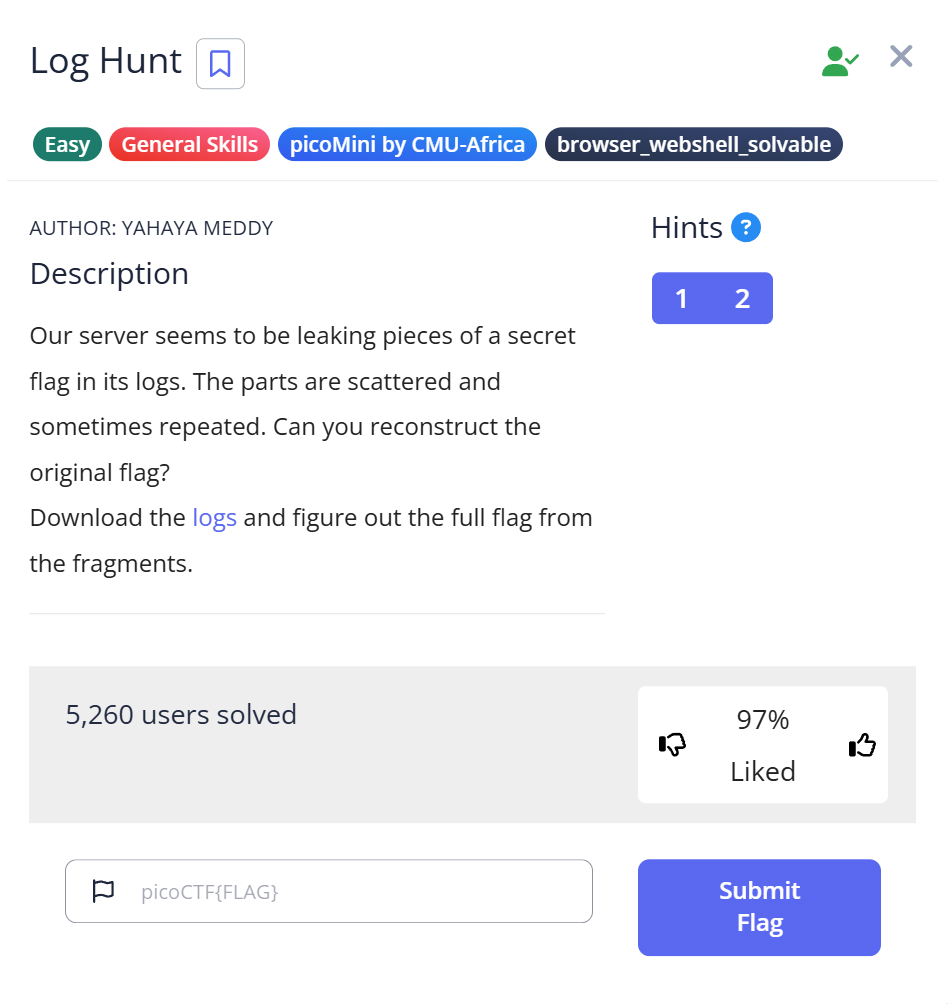
picoCTF Log Hunt is a General Skills Easy challenge that hands you a server log file and asks you to find a flag distributed across multiple log entries. The skill being tested isn’t anything exotic — it’s the same pattern used by sysadmins and incident responders every day: searching a large log file for specific patterns using grep. The one small trap in this challenge is a duplicate log entry that appears once per second and could make you think the flag has a repeated segment.
Opening the log file
The download is server.log. Checking what it is:
$ file server.log
server.log: ASCII text
Plain text log file. Opening it with cat or less reveals timestamp-formatted entries — something like [1990-08-09 10:00:10] INFO .... The log is long, with many entries. Scrolling through it manually would work eventually, but one log entry immediately stood out:
[1990-08-09 10:00:10] INFO FLAGPART: picoCTF{us3_
The label FLAGPART is explicit — this is a flag fragment, and there are more to find.
Extracting all flag parts with strings and grep
Rather than scrolling through the entire log, searching for all FLAGPART entries directly:
$ strings server.log | grep "FLAGPART"
[1990-08-09 10:00:10] INFO FLAGPART: picoCTF{us3_
[1990-08-09 10:02:55] INFO FLAGPART: y0urlinux_
[1990-08-09 10:05:54] INFO FLAGPART: sk1lls_
[1990-08-09 10:05:55] INFO FLAGPART: sk1lls_
[1990-08-09 10:10:54] INFO FLAGPART: cedfa5fb}
[1990-08-09 10:10:58] INFO FLAGPART: cedfa5fb}
[1990-08-09 10:11:06] INFO FLAGPART: cedfa5fb}
[1990-08-09 11:04:27] INFO FLAGPART: picoCTF{us3_
...
(same 4 parts repeating across multiple hours)
The output is longer than expected — the same four fragments appear over and over across a full day of log entries. The four unique flag parts, in order of first appearance:
picoCTF{us3_— at 10:00:10y0urlinux_— at 10:02:55sk1lls_— at 10:05:54cedfa5fb}— at 10:10:54
The duplicate that could fool you
Look at the timestamps for sk1lls_: the entry appears at 10:05:54 and again at 10:05:55 — one second apart. If you’re reading the output quickly, you might count two separate sk1lls_ fragments and concatenate them as sk1lls_sk1lls_. That would give you the wrong flag.
The flag has four distinct parts, not five. The second sk1lls_ at 10:05:55 is a duplicate log entry — the same event logged twice within one second, which is a common artifact in real server logs when a process retries or when two threads log simultaneously. The three cedfa5fb} entries (at 10:10:54, 10:10:58, and 10:11:06) show the same pattern — repeated log entries for the same event.
To isolate only the unique fragment values without timestamp noise:
$ grep "FLAGPART" server.log | awk '{print $NF}' | sort -u
cedfa5fb}
picoCTF{us3_
sk1lls_
y0urlinux_
Four unique values. sort -u deduplicates and sorts alphabetically, which loses the order — but once you know there are exactly four parts and what they are, the order is clear from the first grep output: the fragment that starts with picoCTF{ is first, and the one ending with } is last.
Assembling the flag
Concatenating the four parts in order:
picoCTF{us3_  +  y0urlinux_  +  sk1lls_  +  cedfa5fb}

Flag: picoCTF{us3_y0urlinux_sk1lls_cedfa5fb}
“Use your Linux skills” — the flag spells out what the challenge is actually testing.
Full solve walkthrough
| Step | Action | Result | Note |
|---|---|---|---|
| 1 | file server.log | ASCII text | Plain text log, no special tools needed |
| 2 | cat server.log | head -20 | Timestamp log entries, spot FLAGPART keyword | Confirms structure and keyword |
| 3 | strings server.log | grep "FLAGPART" | All FLAGPART entries across the log | 4 unique parts + many duplicates |
| 4 | Read the output in timestamp order | 4 parts: picoCTF{us3_, y0urlinux_, sk1lls_, cedfa5fb} | Ignore duplicates — each fragment appears once |
| 5 | Concatenate in order | picoCTF{us3_y0urlinux_sk1lls_cedfa5fb} | ✅ Flag |
Why strings + grep rather than just grep
For a plain ASCII log file, grep "FLAGPART" server.log would work just as well as piping through strings first. The habit of running strings before grep is useful because it handles files that mix binary and text content — embedded binaries, compiled executables, or packed archives where grep’s behavior on binary data is unpredictable. Building the strings | grep pattern as a reflex means it works correctly on both text and binary inputs without having to think about which you have.
The same grep pattern applies directly in real incident response: when investigating a security event, searching large log files for specific patterns (grep -i "error\|failed\|denied" /var/log/auth.log) is how you find relevant events in thousands of lines of noise. The FLAGPART label in this challenge mimics exactly how an attacker’s tooling might leave identifiable strings in logs — and how defenders find them. A real-world equivalent: searching web server access logs for a specific User-Agent or POST path to identify which requests came from a particular exploit script, then sorting by timestamp to reconstruct the attack sequence.
What I’d do differently next time
Check for duplicate entries before concatenating. When the grep output shows the same fragment appearing at consecutive timestamps (one second apart), those aren’t separate flag parts — they’re duplicate log entries for the same event. Counting the number of distinct fragments (sort -u) before assuming how many parts exist saves the confusion of assembling a flag with a repeated segment.
Further Reading
Log Hunt is part of the picoCTF General Skills category. For a deeper look at how strings works across different file types — including real examples from binary challenges and the offset flags that help locate where in a file a string appears — strings in CTF covers the command in full, with actual picoCTF challenge output.
For a challenge where the flag was split across a different kind of medium — packet payloads sent out of order in a network capture — the Ph4nt0m 1ntrud3r writeup covers the fragment-reassembly problem in a more complex form: Base64 fragments in TCP packets that had to be sorted by microsecond timestamp rather than arrival order.
The broader context for log analysis skills in forensics CTF — which tools to reach for first based on file type, how grep fits into the first-pass workflow, and common patterns across challenges — is covered in CTF Forensics Tools: The Ultimate Guide for Beginners.
Leave a Reply